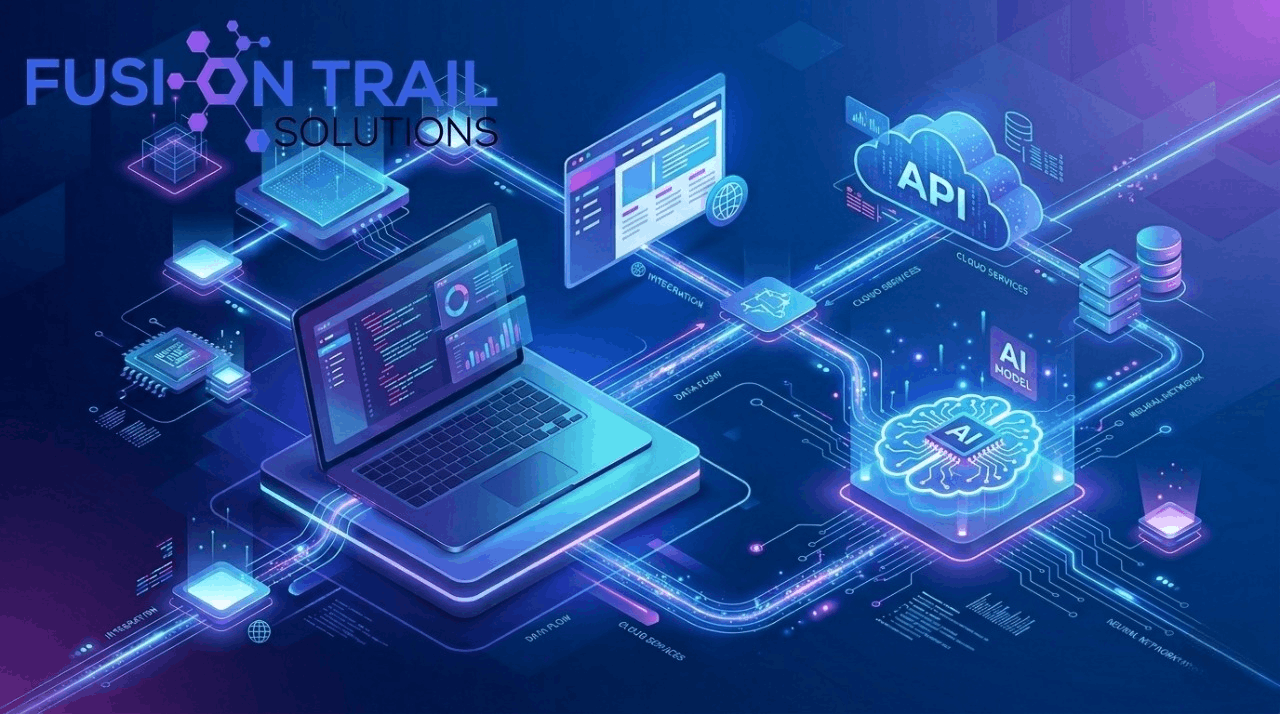
Artificial Intelligence is transforming the digital world, and AI model integration is at the center of this revolution. Whether you're building a website, mobile app, or software system, integrating AI can make your product smarter, faster, and more efficient.
In this guide, you will learn what AI model integration is, how it works, and how you can use it in real world projects.
What is AI Model Integration?
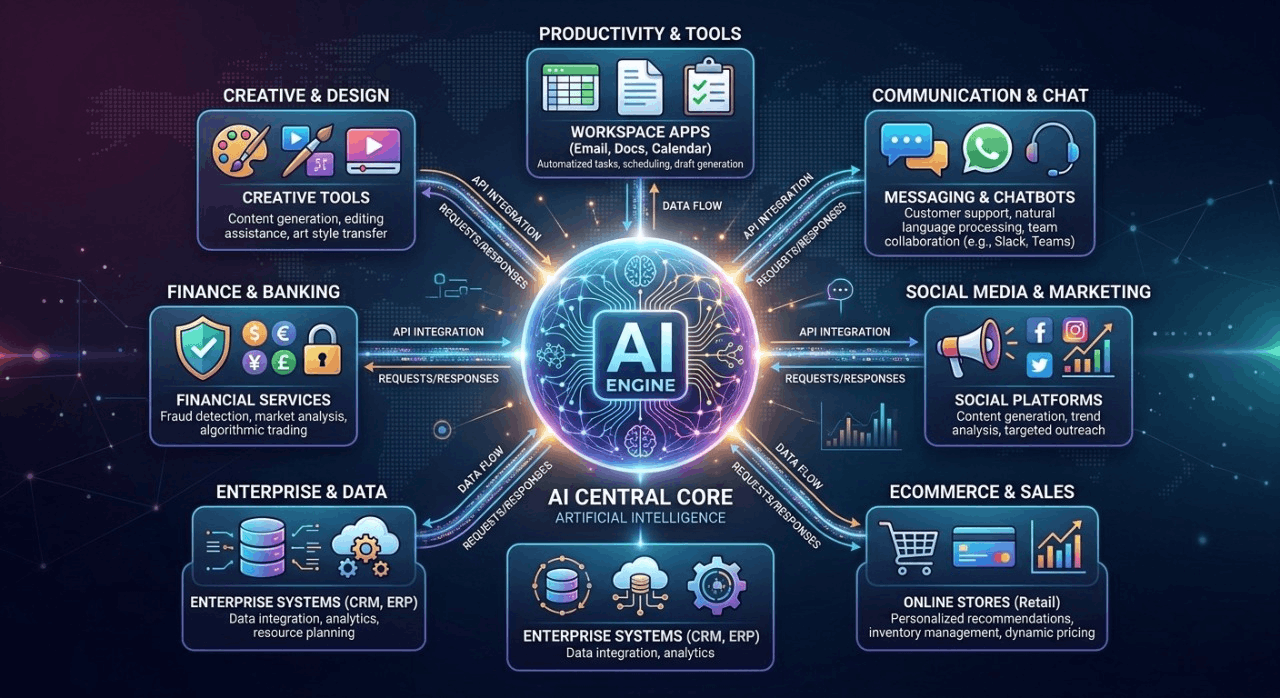
AI model integration refers to connecting an artificial intelligence model with a website, application, or software system to automate tasks and enhance functionality.
Instead of building AI from scratch, developers use existing AI models through APIs or SDKs.
How Does AI Model Integration Work?
The process of AI integration is simple:
The user provides input (text, image, or voice)
The system sends a request to an AI API
The AI processes the request
The response is sent back to the user
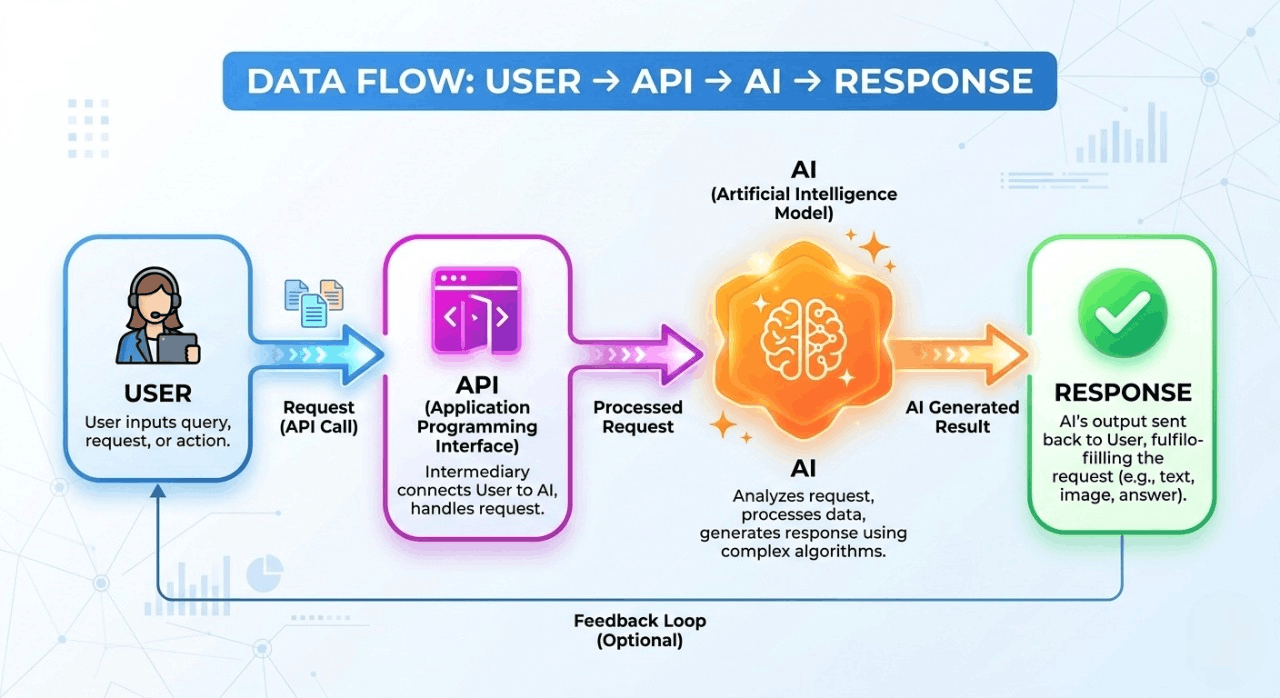
This process happens in real time and powers many modern applications.
Types of AI Model Integration
1. API-Based Integration
This is the most common method. Developers use external AI services via APIs.
2. Local Model Integration
In this method, AI models run locally on servers or devices.
3. SDK Integration
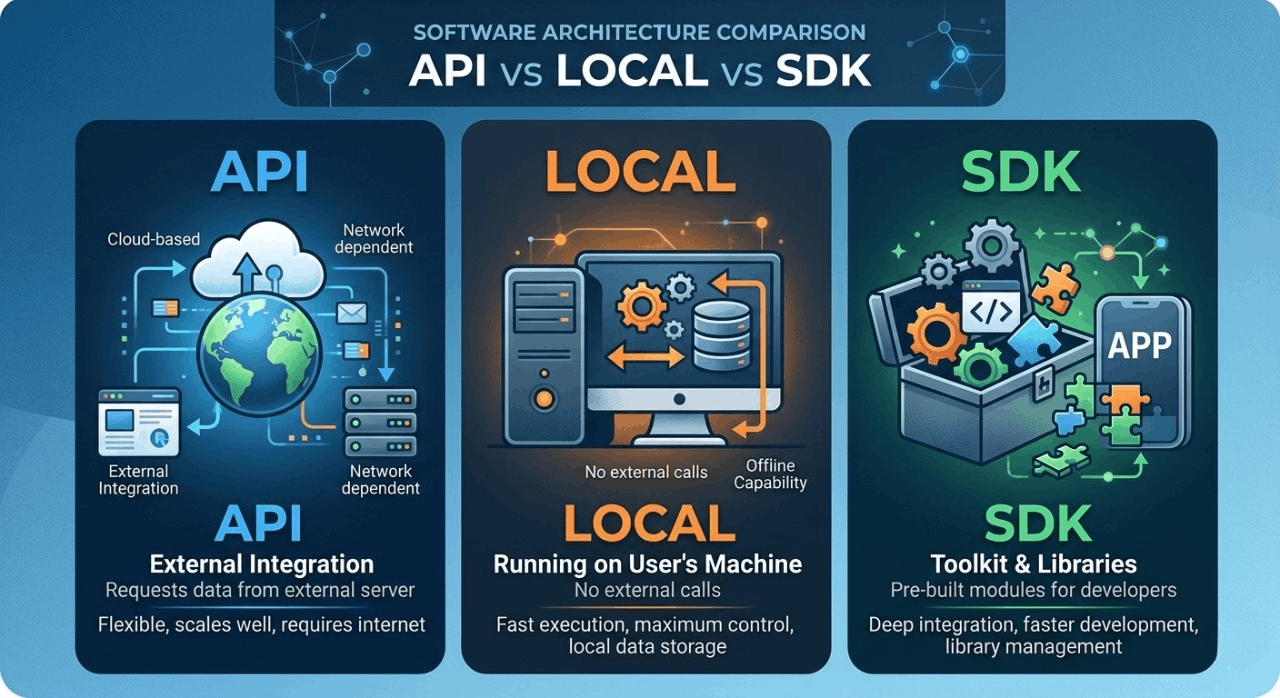
Developers use pre built libraries to simplify integration.
Benefits of AI Model Integration
Automates repetitive tasks
Improves user experience
Saves time and cost
Enables smart decision-making
Scales business operations
Real-World Examples of AI Integration
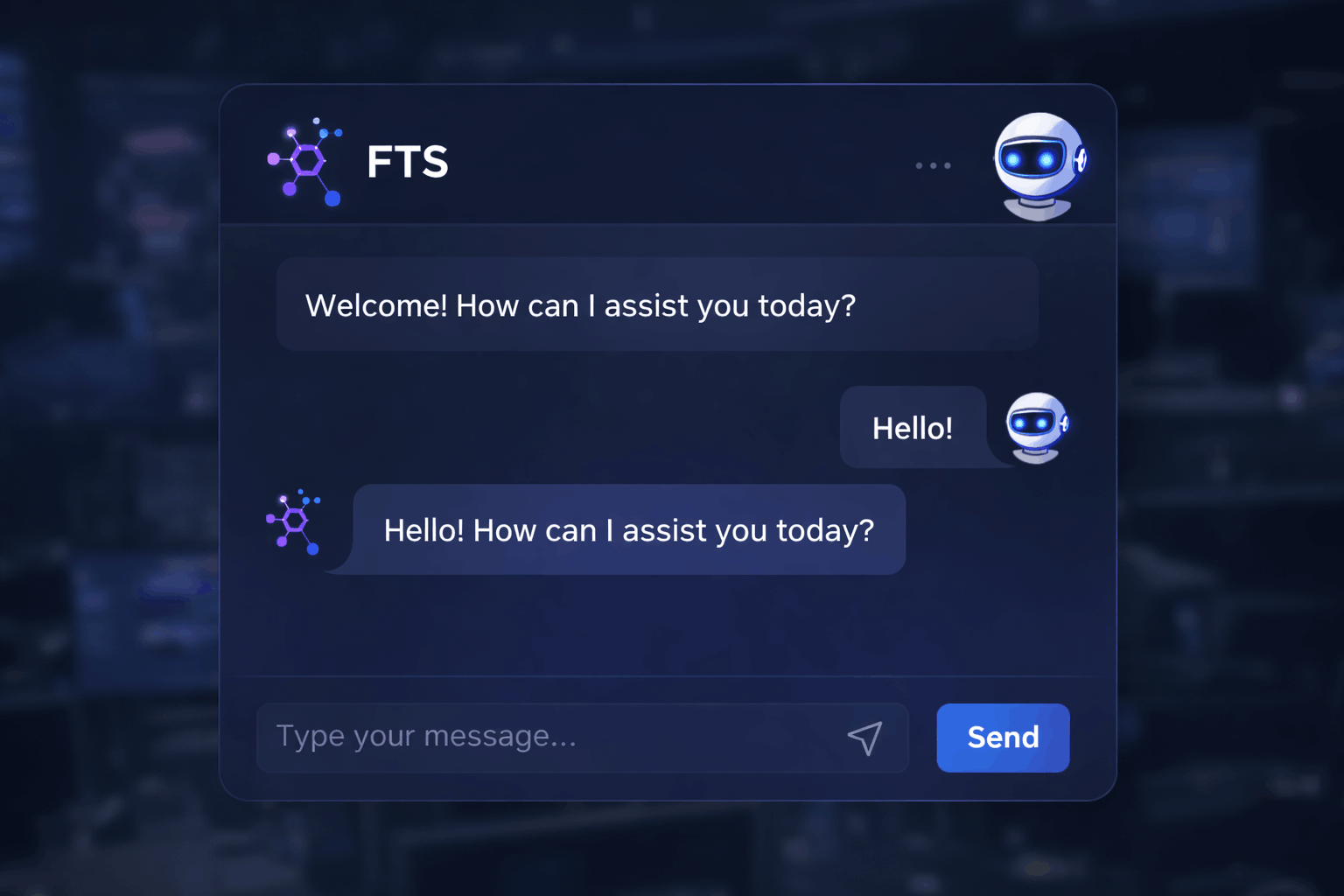
AI Chatbot Integration
Websites use AI chatbots for customer support and instant replies.
AI Content Generation
Blogging platforms use AI to generate articles automatically.
AI Image Generation
Design tools generate images using AI prompts.
How to Start AI Model Integration (Step-by-Step Beginner Guide)
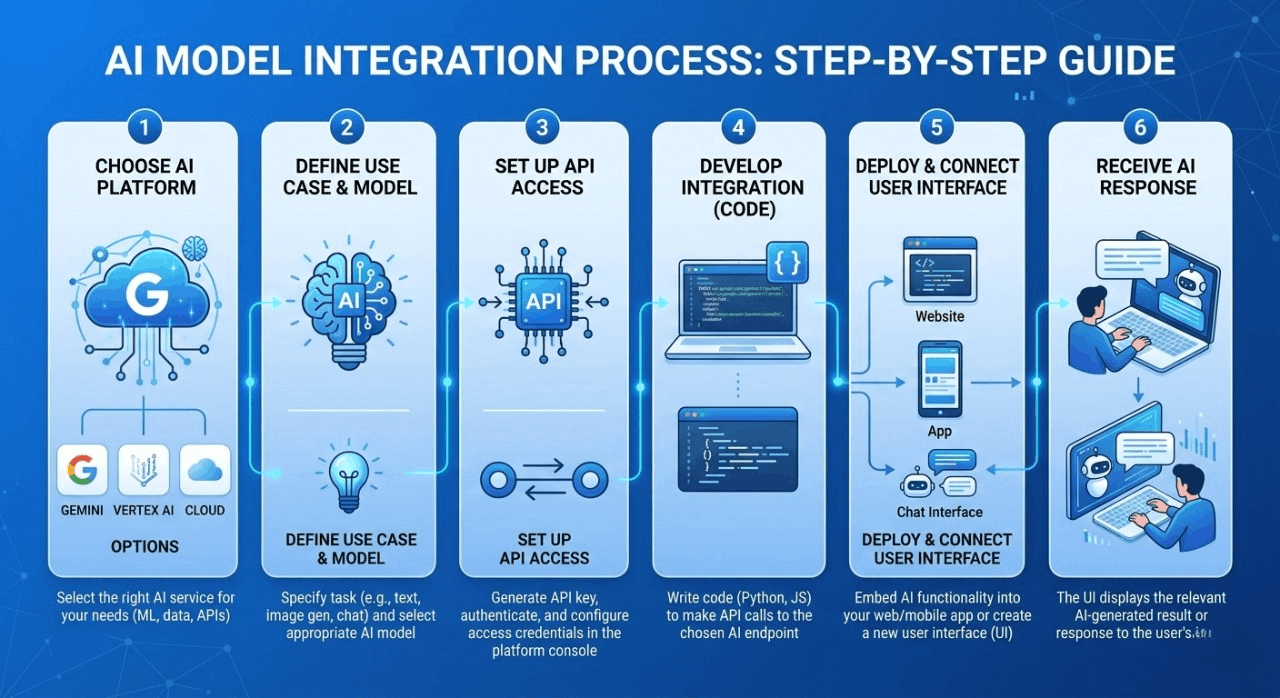
1.Choose an AI platform
Start by selecting an AI service like Google Gemini. It is beginner-friendly and widely used for chatbots, content generation, and automation.
2.Create an account on the AI platform
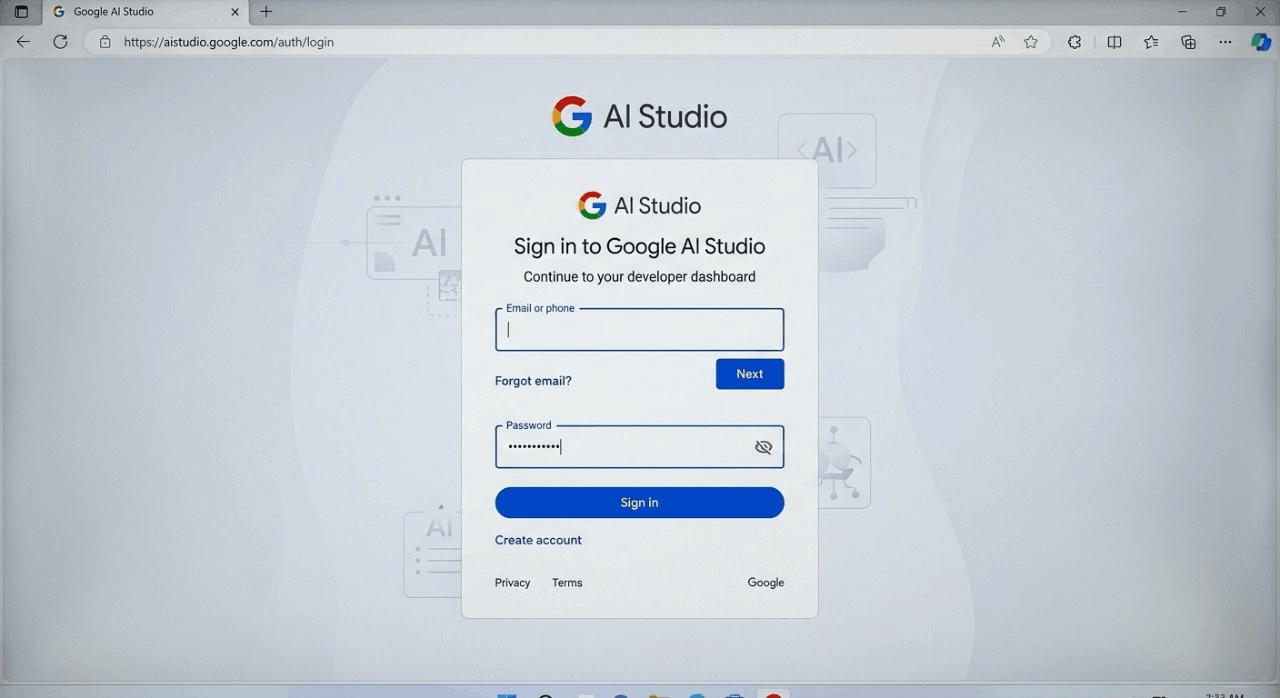
Go to Google AI Studio:
https://aistudio.google.com/
Sign in with your Google account to access AI tools and services.
3.Get API access (API Key)
Steps:
1.This is the Google AI Studio login screen where you sign in with your Google account. After login, you get access to AI tools and developer dashboard.
This is the AI Studio dashboard where you can manage your projects and API settings. The “Create API Key” option is used to generate secure access for AI integration.
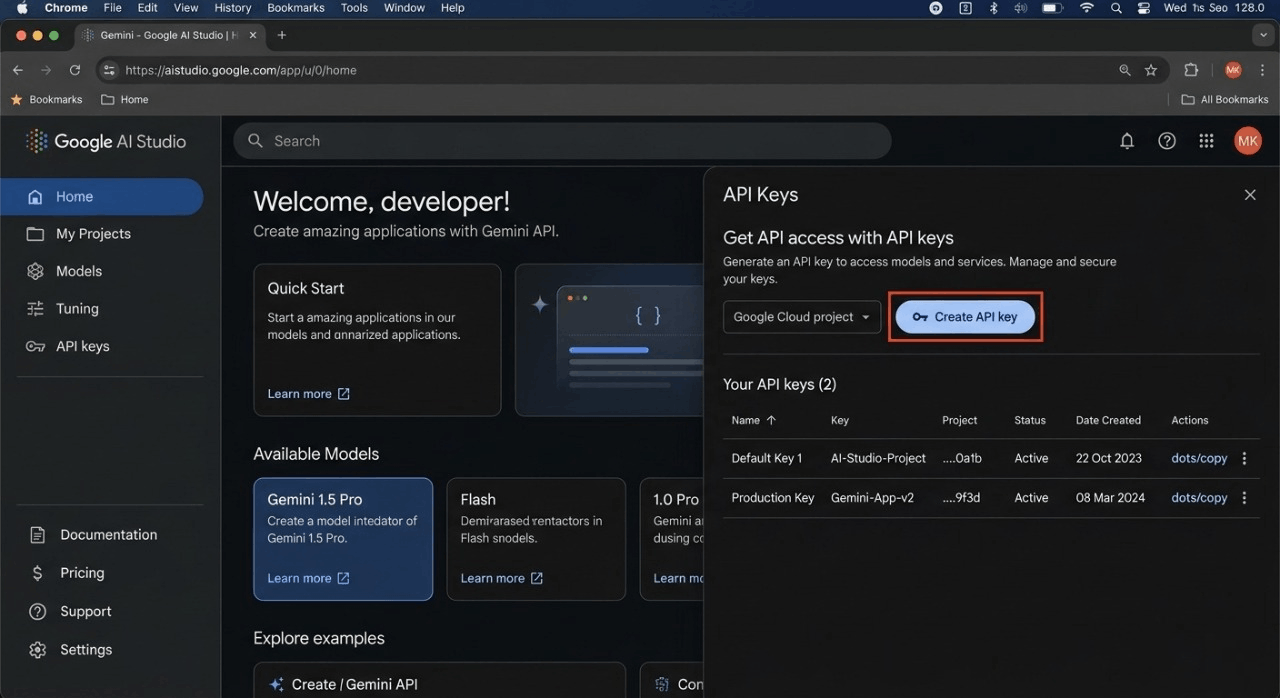
This screen shows the successfully generated API key in Google AI Studio. You can copy this key and use it to connect your app or website with AI services.
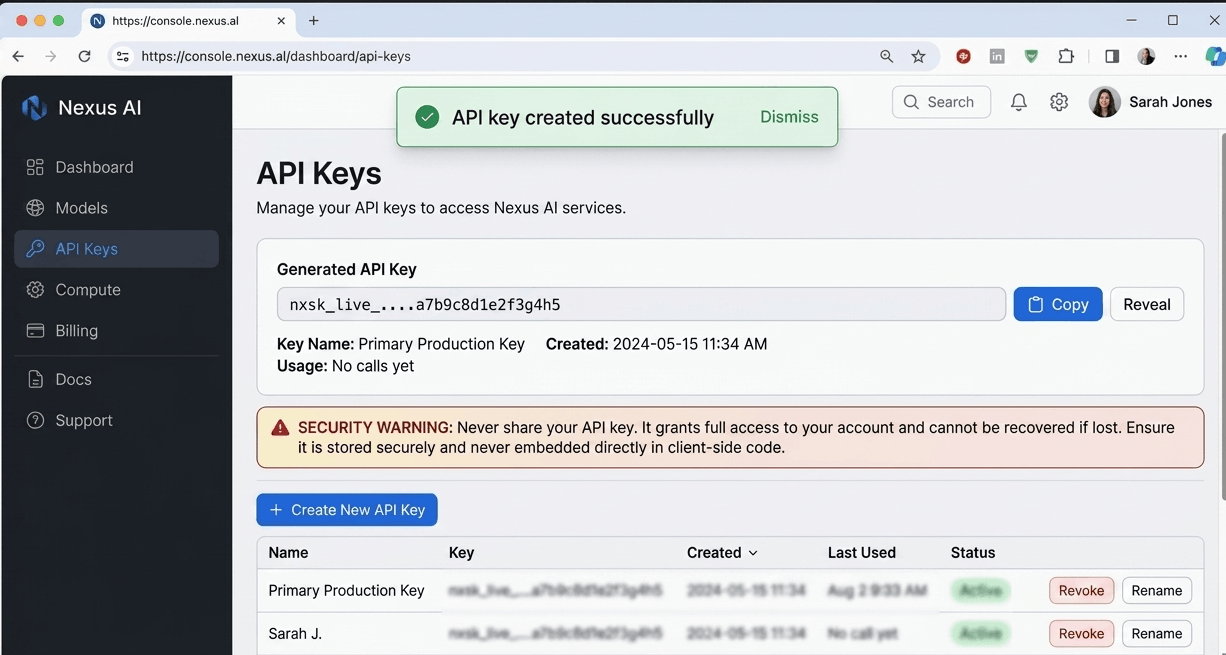
4.Connect AI with your website or app
Integrate the AI service into your system (website, app, or backend). This connection allows your platform to send requests to the AI and receive responses.
5.Send input to the AI system
Once connected, you can send user input like questions, text prompts, or commands to the AI model.
6.Receive and display AI response
The AI processes the input and sends back a response. You can then display this output on your website, app, or chatbot interface.
Final Thoughts
AI model integration is no longer a future concept it is a present necessity. Businesses and developers who adopt AI early gain a strong competitive advantage.