PWA vs Electron: Which One Should You Choose?
Businesses and developers today have more choices than ever when it comes to building modern applications. Two of the most popular technologies are Progressive Web Apps (PWAs) and Electron. While both enable cross-platform experiences, they solve different problems and come with unique advantages.
Many startups initially choose Electron because it allows developers to build desktop applications using familiar web technologies like HTML, CSS, and JavaScript. At the same time, many businesses prefer PWAs because they are lightweight, installable, fast, and accessible directly from a browser.
So which one is the better option in 2026?
The answer depends on your application's goals, your users' devices, your performance requirements, and your budget. In this comprehensive guide, we'll compare every important aspect of PWA and Electron so you can confidently decide which technology fits your next project.
What is a Progressive Web App (PWA)?
A Progressive Web App (PWA) is a web application that behaves much like a native mobile or desktop app while still running in a web browser. PWAs leverage modern web capabilities such as Service Workers, Web App Manifest, and advanced browser APIs to provide an app like experience.
Unlike traditional websites, PWAs can:
Work offline or with limited internet connectivity.
Be installed directly from the browser.
Send push notifications (where supported).
Launch in a standalone window without browser UI.
Load quickly using cached assets.
Automatically update without requiring users to download new versions.
Because they eliminate the need for app store distribution in many cases, PWAs are especially attractive for businesses looking to reduce development and maintenance costs while maximizing accessibility.
Key Features of PWAs
Installable from modern browsers
Offline support using Service Workers
Automatic background updates
Responsive design across devices
Fast loading through caching
Secure HTTPS requirement
Smaller storage footprint
SEO-friendly content
Lower maintenance costs

What is Electron?
Electron is an open source framework that enables developers to create desktop applications using web technologies. Instead of running inside a browser, Electron packages a Chromium browser and a Node.js runtime together, allowing web applications to behave like traditional desktop software.
This approach makes Electron highly versatile because developers can access native operating system features while continuing to work with familiar web development tools.
Many globally recognized applications—including code editors, messaging platforms, and productivity tools—use Electron because it simplifies cross-platform desktop development.
Core Features of Electron
Cross-platform desktop applications
Access to local file system
Native menus
System tray integration
Keyboard shortcuts
Native notifications
Automatic updates
Desktop packaging
Node.js integration
Extensive plugin ecosystem

Why Developers Compare PWA vs Electron
At first glance, both technologies appear similar because both use HTML, CSS, and JavaScript. However, the architecture behind them is fundamentally different.
A PWA is essentially a website enhanced with modern browser capabilities, while an Electron application includes an entire browser engine inside the application itself.
This architectural difference affects:
Performance
RAM usage
CPU consumption
Installation size
Security
Development complexity
User experience
Distribution methods
Maintenance requirements
Understanding these differences is crucial before selecting a technology stack.
Architecture Comparison
Understanding how each technology works behind the scenes explains why their performance and capabilities differ.
PWA Architecture
A Progressive Web App operates within the browser environment. It uses:
Web browser
HTTPS
Service Workers
Web Manifest
Browser Cache
Web APIs
Because it depends on the browser already installed on the user's device, a PWA remains lightweight and efficient.
Advantages of Browser-Based Architecture
Smaller downloads
Faster startup
Lower RAM usage
Instant updates
Better SEO
Easier deployment
Electron Architecture
Electron packages several components together:
Chromium Browser
Node.js Runtime
Application Files
Native APIs
Desktop Shell
Each Electron application includes its own Chromium engine, which significantly increases installation size and memory usage but enables powerful desktop capabilities.
Advantages of Electron Architecture
Full desktop integration
Rich native functionality
Powerful file management
Local databases
Background processes
System-level APIs
Performance Comparison
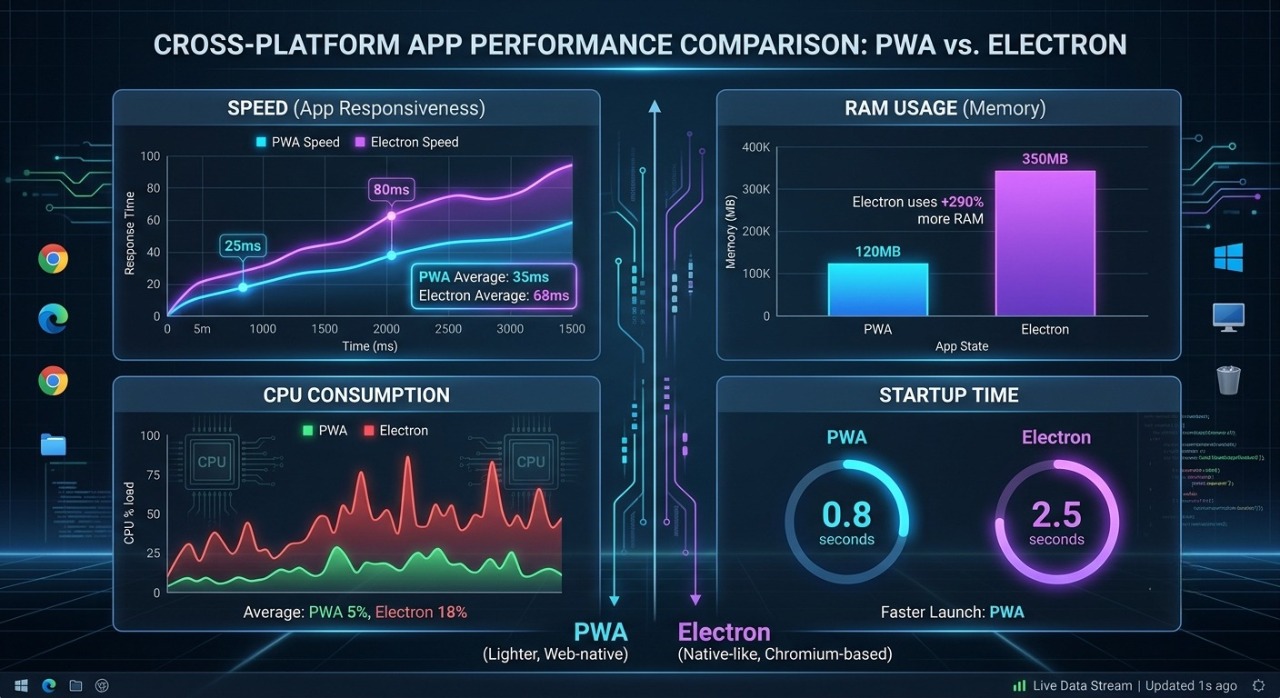
Performance is one of the biggest deciding factors when comparing PWA and Electron.
PWA Performance
PWAs are generally much faster because they rely on the browser already installed on the operating system instead of bundling another browser engine.
Benefits include:
Faster startup times
Smaller installation packages
Lower CPU usage
Better battery efficiency
Reduced RAM consumption
Faster updates
A well-optimized PWA can often feel nearly indistinguishable from a native application for many business use cases.
Electron Performance
Electron applications offer flexibility but at the cost of increased resource usage.
Since every Electron app bundles its own Chromium instance, users may experience:
Higher RAM usage
Larger application sizes
Longer startup times
Increased CPU utilization during intensive tasks
Greater battery consumption on laptops
However, Electron excels in scenarios requiring deep desktop integration, background services, or advanced file system operations that PWAs cannot fully support.
Real-World Performance Example
Imagine creating a simple task management application.
As a PWA
Opens instantly in the browser.
Installs in seconds.
Uses minimal storage.
Runs efficiently on low-end devices.
Updates automatically.
As an Electron App
Requires downloading a desktop installer.
Consumes more disk space.
Uses additional RAM because of the bundled Chromium engine.
Provides richer desktop features such as native menus, file access, and system integration.
For lightweight productivity tools, PWAs often provide the best balance of speed and efficiency. For professional desktop software with advanced system interaction, Electron remains a strong choice.
Security Comparison
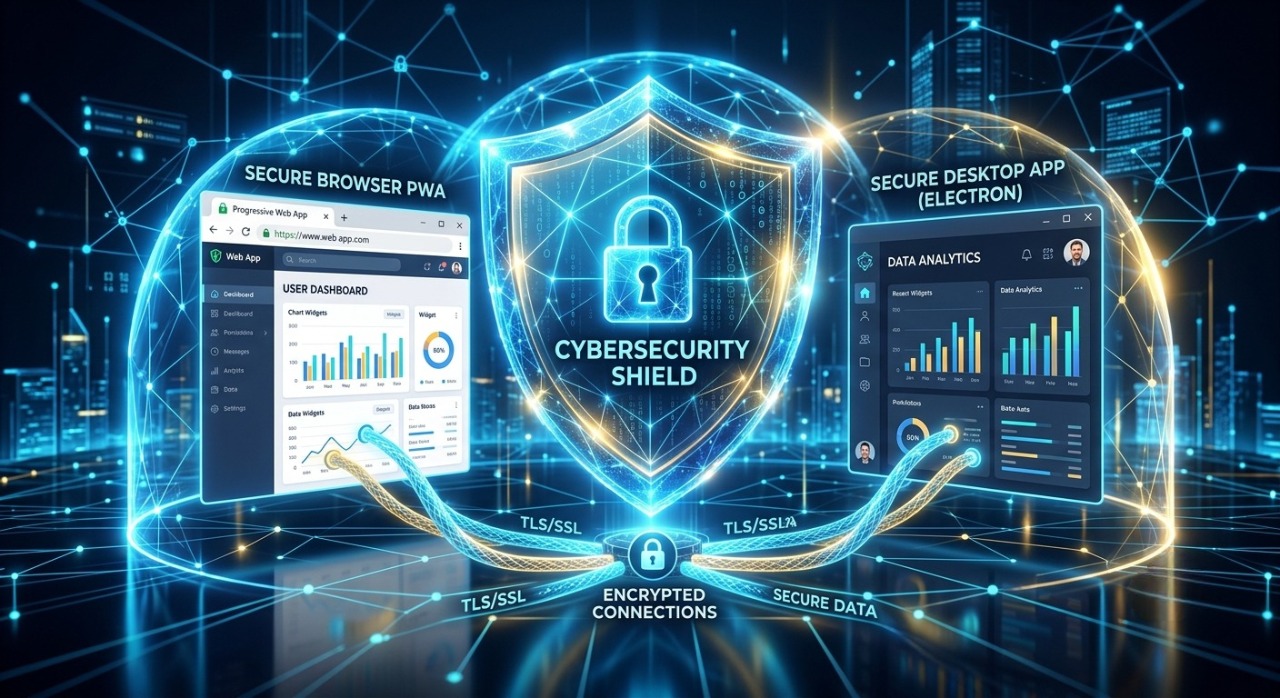
Security is one of the most important factors when choosing between a Progressive Web App (PWA) and an Electron application. Both technologies can be secure, but they face different types of risks because of how they operate.
A PWA runs inside the browser's security sandbox. This means it benefits from built-in browser protections such as the Same-Origin Policy, HTTPS enforcement, and restricted access to the user's operating system. Electron applications, by contrast, have much broader access to the local system, which increases their capabilities but also raises the stakes if security best practices are not followed.
PWA Security
PWAs are generally considered safer for everyday users because browsers isolate web applications from the underlying operating system.
Security Advantages
Runs inside a secure browser sandbox
Requires HTTPS
Limited system access
Automatic security updates through the browser
Lower risk of malware installation
No bundled executable files
Potential Risks
Cross-Site Scripting (XSS)
Misconfigured Service Workers
Weak authentication
Insecure APIs
These risks can usually be mitigated with modern web security practices such as Content Security Policy (CSP), secure authentication, and proper input validation.
Electron Security
Electron apps have significantly more privileges than a browser application. They can read files, access hardware, and interact with the operating system. This makes them ideal for desktop software but also means developers must be extremely careful.
Security Advantages
Strong local encryption support
Native authentication integration
Secure local storage options
Full control over application behavior
Potential Risks
Remote Code Execution if configured improperly
Node.js integration vulnerabilities
Insecure IPC communication
Supply chain attacks through third-party packages
Developers should disable unnecessary Node.js integration, enable context isolation, and keep Electron dependencies updated to minimize these risks.
Memory Usage Comparison
Memory usage is often one of the biggest differences between PWAs and Electron apps.
PWA Memory Usage
Because a PWA uses the user's existing browser engine, it consumes relatively little additional memory.
Typical characteristics include:
Lightweight architecture
Shared browser resources
Efficient caching
Lower background memory consumption
A simple PWA may use 50–200 MB of RAM depending on the browser and workload.
Electron Memory Usage
Electron bundles an entire Chromium browser with every application. Even a basic Electron app may consume several hundred megabytes of RAM.
Typical characteristics include:
Separate Chromium instance
Node.js runtime
Multiple renderer processes
Higher idle memory usage
A comparable Electron application may use 200–500 MB or more, especially as features grow.
Winner for Memory Efficiency: ✅ PWA
Battery Consumption
Battery life is particularly important for laptop and mobile users.
PWA
PWAs generally consume less power because they share browser processes and avoid running a full browser engine independently.
Advantages:
Lower CPU usage
Efficient background behavior
Better battery performance
Optimized browser scheduling
Electron
Electron applications tend to consume more battery because they run a dedicated Chromium process and often maintain background services.
This difference is especially noticeable on older laptops and low-powered devices.
Winner: ✅ PWA
Offline Support
One common misconception is that only Electron applications work offline. In reality, both technologies can offer excellent offline experiences.
PWA Offline Support
PWAs use Service Workers to cache assets and data, enabling users to continue working without an internet connection.
Capabilities include:
Offline pages
Cached images
Cached API responses
Background synchronization
Offline forms
Local storage
Electron Offline Support
Electron applications naturally work offline because all core application files are installed locally.
They also support:
Local databases
SQLite
IndexedDB
File system access
Background processes
For applications requiring extensive offline data management, Electron provides more flexibility.
Development Cost
Development cost often influences technology decisions as much as technical features.
PWA Development
PWAs are generally more affordable because a single codebase can serve desktop and mobile users through the browser.
Cost Benefits
No app store fees in many cases
Faster deployment
Easier maintenance
Lower hosting costs
Single web-based architecture
Electron Development
Electron can also reuse web technologies, but additional effort is required for packaging, desktop testing, installers, auto-updates, and operating system integration.
Additional Costs
Desktop packaging
Platform-specific testing
Code signing
Installer creation
Auto-update infrastructure
Winner for Cost: ✅ PWA
SEO Comparison
This is one area where the difference is dramatic.
PWA SEO
PWAs can be indexed by search engines when built correctly.
Benefits include:
Search engine visibility
Organic traffic
Google indexing
Rich snippets
Structured data
Faster page experience
This makes PWAs an excellent choice for businesses that rely on content marketing and search traffic.
Electron SEO
Electron applications are desktop executables.
Search engines cannot index the application's internal screens in the same way they index websites.
Traffic usually comes from:
Downloads
Landing pages
Documentation
Marketing campaigns
Winner: ✅ PWA
Scalability
PWA
Ideal for:
SaaS platforms
E-commerce stores
News websites
Educational platforms
Booking systems
Business portals
Electron
Best suited for:
Code editors
Video editing software
Graphic design tools
Productivity suites
Enterprise desktop software
File management utilities
Business Use Cases
Choose a PWA If You Are Building:
E-commerce websites
CRM dashboards
Learning Management Systems
Online booking platforms
Restaurant ordering systems
Healthcare portals
Banking dashboards
SaaS products
Company websites
Membership platforms
Choose Electron If You Are Building:
Desktop IDEs
Design software
Accounting applications
POS systems
Internal enterprise tools
File synchronization software
Chat clients
Media management software
Desktop automation tools
Which One Should You Choose?
There is no universal winner. The right choice depends on your project's goals.
Choose PWA if:
You want maximum reach through the web.
SEO is important.
You need a lightweight application.
You want lower development and maintenance costs.
Your users mainly interact through browsers.
Choose Electron if:
You need deep desktop integration.
Your application requires extensive file system access.
You are building professional desktop software.
Native operating system features are essential.
Your users expect an installable desktop experience.
Frequently Asked Questions (FAQ)
1. Is PWA better than Electron?
It depends on the project. PWAs excel in web accessibility, SEO, and performance, while Electron is better for feature-rich desktop applications.
2. Which is faster, PWA or Electron?
PWAs are generally faster to launch and use fewer system resources because they rely on the existing browser.
3. Can PWAs work offline?
Yes. Using Service Workers, PWAs can cache content and function offline for many use cases.
4. Does Electron support Windows, macOS, and Linux?
Yes. Electron applications can be packaged for all major desktop operating systems from a shared codebase.
5. Which technology is more SEO-friendly?
PWAs are SEO-friendly because search engines can index their web content. Electron applications themselves are not indexable.
6. Is Electron good for enterprise software?
Yes. Electron is widely used for enterprise-grade desktop applications that require native capabilities.
7. Can a PWA replace a native app?
For many business scenarios, yes. However, applications requiring extensive hardware access or advanced OS integration may still benefit from native or Electron solutions.
8. Why are Electron apps larger in size?
Electron bundles Chromium and Node.js with every application, increasing the installation package size.
9. Are PWAs secure?
Yes, when implemented with HTTPS, secure authentication, and modern web security practices.
10. Which option is cheaper to develop?
In most cases, PWAs have lower development and maintenance costs due to their web-first architecture.
Final Verdict
Both Progressive Web Apps and Electron are powerful technologies, but they are designed for different purposes.
If your goal is to build a fast, SEO-friendly, cost-effective application that reaches users through the browser, PWA is the clear choice. It offers excellent performance, easy deployment, and a seamless user experience across devices.
On the other hand, if you need a desktop application with deep operating system integration, advanced file access, and native desktop capabilities, Electron remains one of the strongest cross-platform frameworks available.
Before starting your project, evaluate your audience, feature requirements, performance expectations, and long-term maintenance costs. Choosing the right technology from the beginning can save significant development time and provide a better experience for your users.