

GitHub has become far more than a platform for storing source code. Today, it is one of the most important tools for software development, open-source collaboration, version control, DevOps, and developer productivity.
From individual developers building their first project to large technology companies managing complex applications, GitHub provides a complete environment where developers can write, manage, review, collaborate on, and deploy code.
As software development continues to evolve with artificial intelligence, cloud computing, and automation, understanding how to use GitHub effectively has become an important skill for modern developers.
What Is GitHub?
GitHub is a cloud-based development platform built around Git version control. It allows developers to create repositories, manage source code, track changes, collaborate with other developers, and contribute to open-source projects.
A GitHub repository can contain everything required for a project, including source code, documentation, configuration files, issues, and project history.
GitHub is widely used for:
Web development
Software development
Open-source projects
AI and machine learning projects
DevOps workflows
Documentation
Team collaboration
Version control
Continuous integration and deployment
The combination of Git and GitHub makes it easier for developers to work on projects without worrying about losing previous versions of their code.

Why GitHub Is Important for Developers
One of the biggest advantages of GitHub is version control.
When developers work on a project, they constantly make changes to the code. Without version control, managing those changes can become difficult. Git allows developers to create a history of their work, compare changes, restore previous versions, and experiment with new features safely.
GitHub adds collaboration features on top of Git.
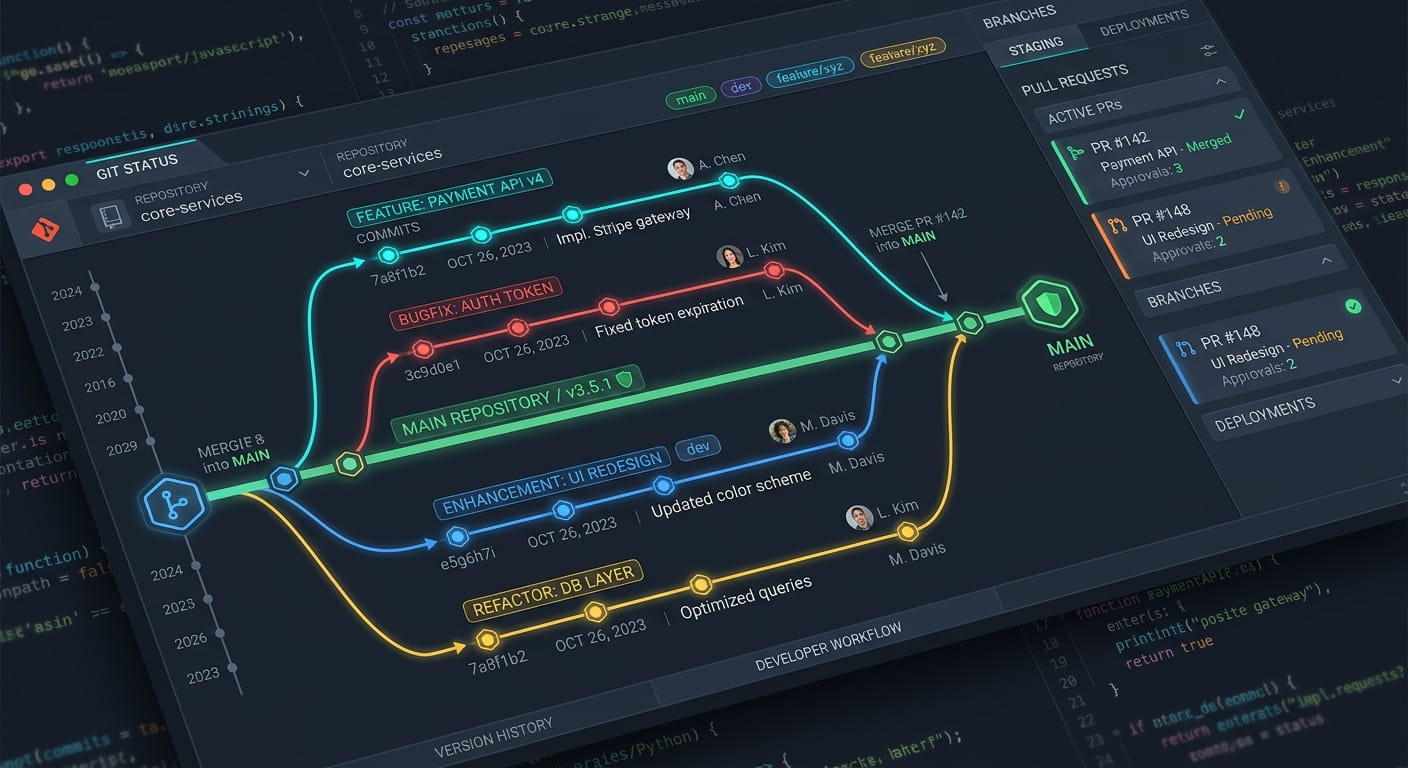
Developers can create branches, submit pull requests, review code, report issues, and merge changes into the main project.
This makes GitHub particularly valuable for both individual developers and software development teams.
GitHub and Open Source Development
GitHub has played a major role in the growth of the open-source ecosystem.
Thousands of open-source projects are hosted on GitHub, allowing developers from different countries and backgrounds to collaborate on the same software.
Developers can explore public repositories, report bugs, suggest improvements, submit pull requests, and learn from real-world codebases.
For someone learning programming, GitHub can also work as a practical learning resource. Instead of studying only tutorials, developers can examine how real applications are structured and maintained.

GitHub for Web Developers
GitHub is especially useful for web developers working with technologies such as HTML, CSS, JavaScript, PHP, Python, React, Node.js, and modern frameworks.
A developer can use GitHub to maintain:
Frontend projects
Backend applications
REST APIs
WordPress projects
JavaScript applications
PHP applications
Full-stack web applications
Developer tools
Personal projects
GitHub also provides features that can support automated testing, deployment, documentation, and project management.
For developers building a professional career, maintaining well-organized repositories can also provide potential employers or clients with a practical view of their technical skills.
GitHub and Artificial Intelligence
Artificial intelligence is changing software development, and GitHub is becoming an important part of this transformation.
Developers are increasingly using AI-powered coding tools to generate code, explain functions, identify problems, improve documentation, and accelerate development workflows.
However, AI does not eliminate the importance of GitHub. Instead, it makes code management, review, testing, and collaboration even more important.
Developers still need to understand their code, review AI-generated suggestions, manage changes, and maintain reliable project histories.
The future of software development is likely to involve a combination of human developers, AI coding assistants, automation, and version control platforms such as GitHub.
GitHub Actions and Automation
Another powerful GitHub feature is GitHub Actions.
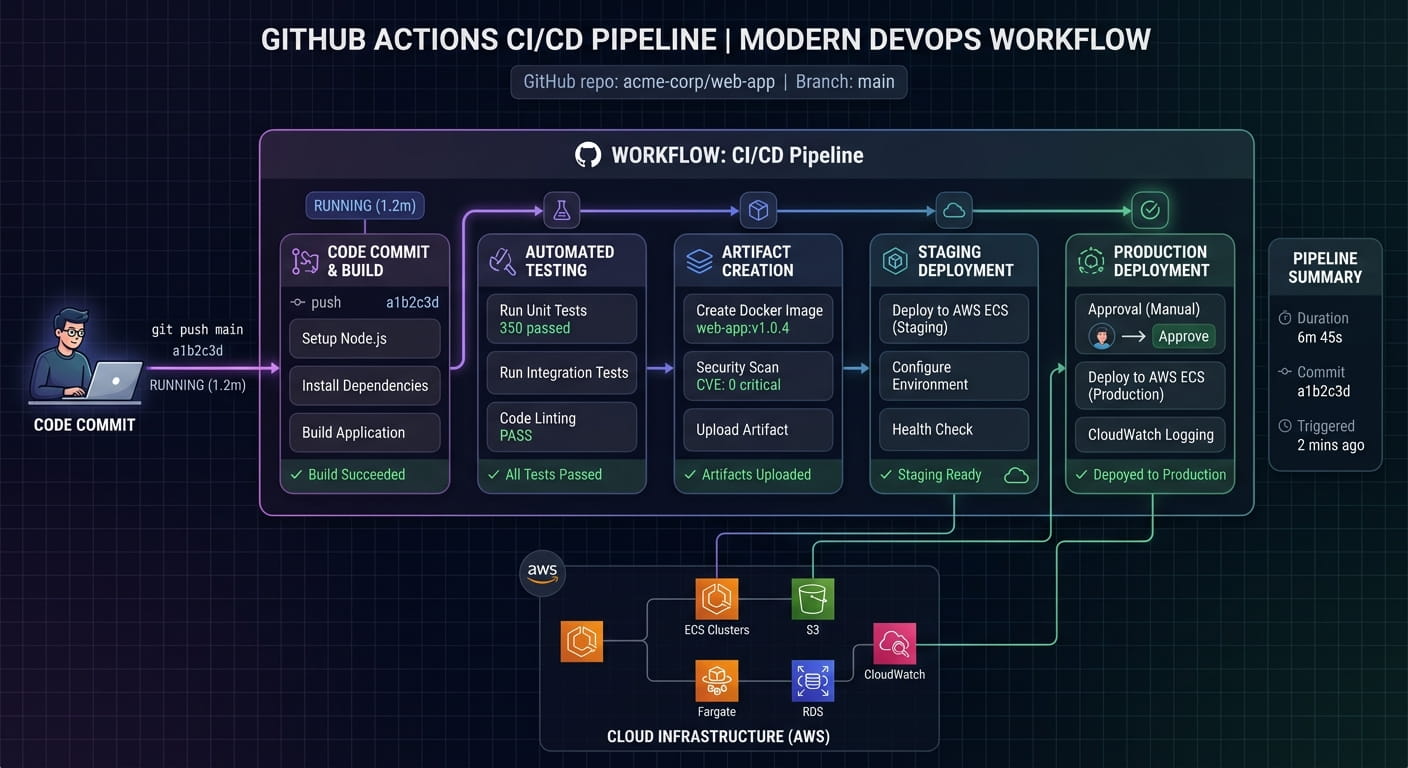
GitHub Actions allows developers to automate different parts of the software development lifecycle.
For example, a project can automatically:
Run tests when new code is pushed.
Check code quality.
Build an application.
Create releases.
Deploy an application.
Perform automated workflows.
This type of automation is an important part of modern CI/CD pipelines.
Instead of manually performing repetitive tasks after every code change, developers can create workflows that execute automatically.
GitHub as a Developer Portfolio
GitHub can also become an important part of a developer's professional portfolio.
A strong GitHub profile can demonstrate practical experience through real projects rather than simply listing programming languages on a resume.
Developers can showcase projects involving:
JavaScript
React
Node.js
PHP
Python
APIs
AI applications
Automation
Databases
Cloud technologies
A well-maintained repository should ideally include a clear README file explaining what the project does, which technologies were used, how it can be installed, and how developers can use it.
Quality is more important than simply having a large number of repositories.
Best Practices for Using GitHub
Developers can get much more value from GitHub by following a few simple practices.
1. Write Clear Commit Messages
Commit messages should explain what changed instead of using vague descriptions such as "update" or "changes."
2. Create Useful README Files
A good README should explain the purpose of the project, installation steps, features, technologies, and usage instructions.
3. Use Branches Properly
Branches allow developers to work on new features or fixes without immediately changing the main codebase.
4. Review Pull Requests
Code review can help identify bugs, improve code quality, and maintain consistent development standards.
5. Never Upload Sensitive Information
API keys, passwords, private credentials, database passwords, and other secrets should never be committed to a public repository.
6. Keep Projects Organized
A clean repository structure makes projects easier to understand, maintain, and contribute to.

GitHub Is More Than a Code Repository
The biggest misconception about GitHub is that it is simply a website for uploading code.
In reality, GitHub has become part of a much larger software development ecosystem.
It connects source code management, collaboration, automation, documentation, project management, open-source development, and modern DevOps practices.
For developers, learning GitHub is therefore not just about learning a tool. It is about understanding how modern software teams build and maintain software.
The Future of GitHub and Software Development
Software development is moving toward increasingly automated and collaborative workflows.
AI-assisted programming, cloud development, automated testing, CI/CD, open-source collaboration, and developer automation are becoming normal parts of the development process.
GitHub sits at the center of many of these workflows.
Developers who understand Git, GitHub repositories, branches, pull requests, code reviews, GitHub Actions, and open-source collaboration will be better prepared for the changing technology landscape.
Final Thoughts
GitHub has become an essential platform for modern software development. Whether you are a beginner learning programming, a professional developer building applications, or a team working on large-scale software, GitHub provides tools that can make development more organized and collaborative.
The most valuable approach is not simply creating a GitHub account and uploading code. Developers should learn how to use Git, repositories, branches, pull requests, issues, GitHub Actions, and open-source collaboration effectively.
As artificial intelligence and automation continue to transform the technology industry, GitHub is likely to remain an important part of the developer ecosystem.